

Steps to Set Up OAuth in Salesforce
Create a Connected App
- In Salesforce, go to Setup.
- In the Quick Find box, enter Apps and select App Manager.
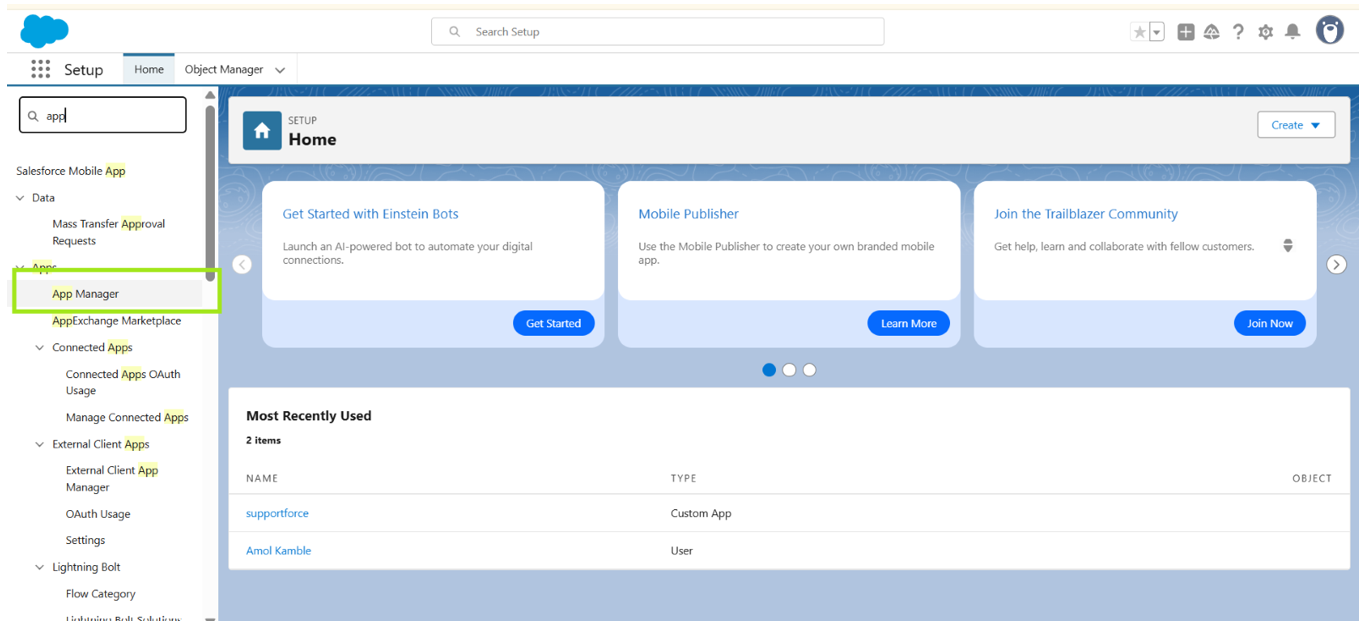
- Click New Connected App to create a new app.
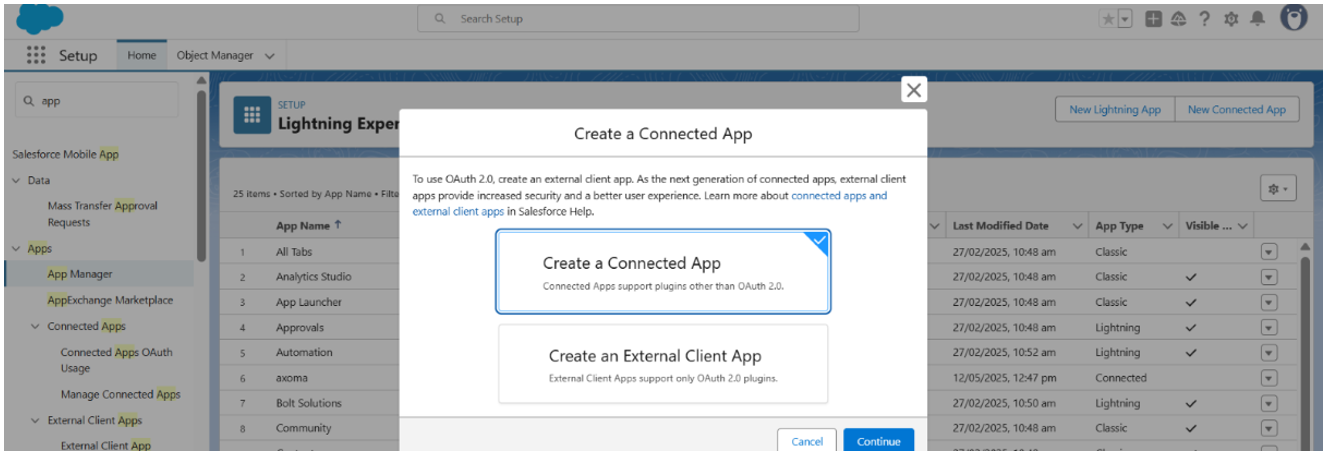
- Fill in the required fields, including the Connected App Name and API Name.
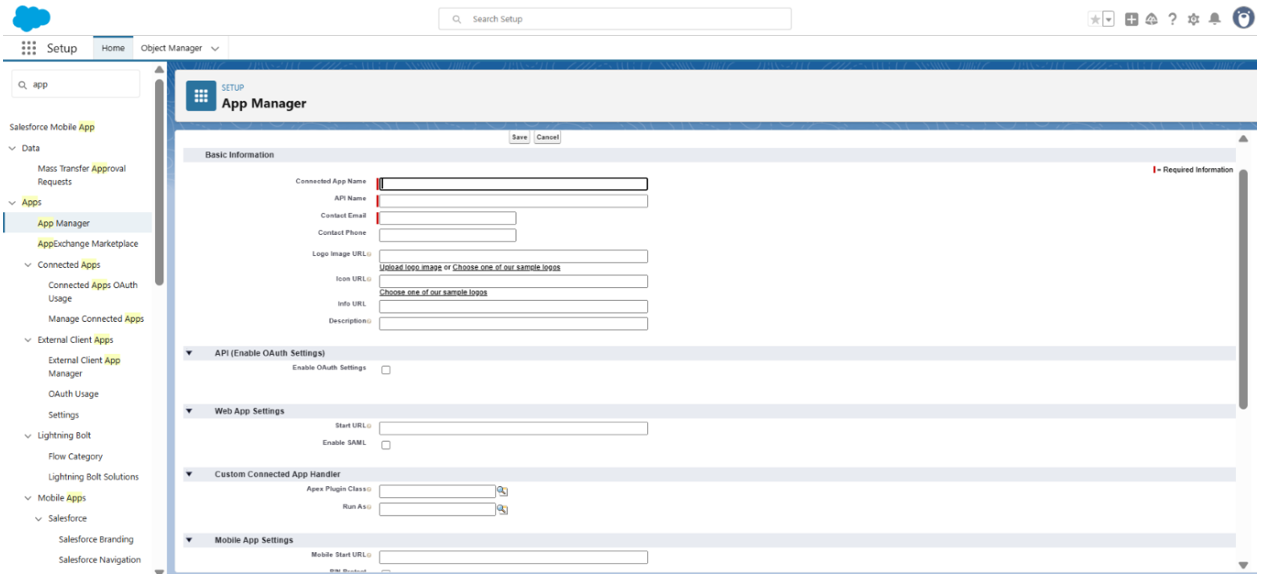
Enable OAuth Settings
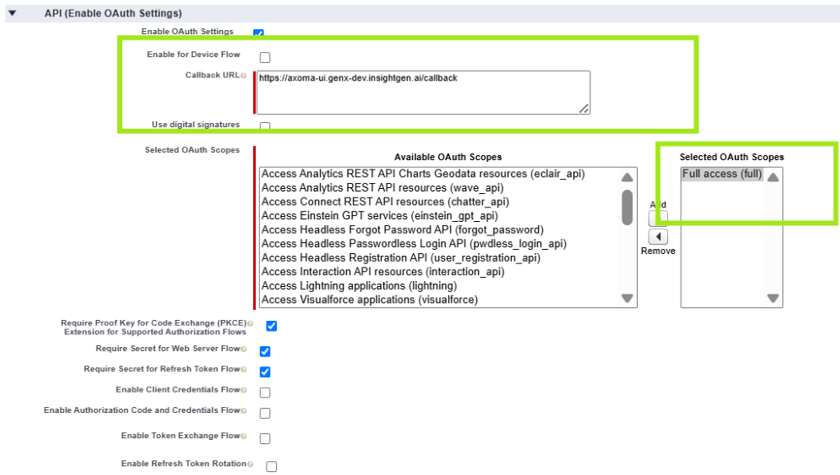
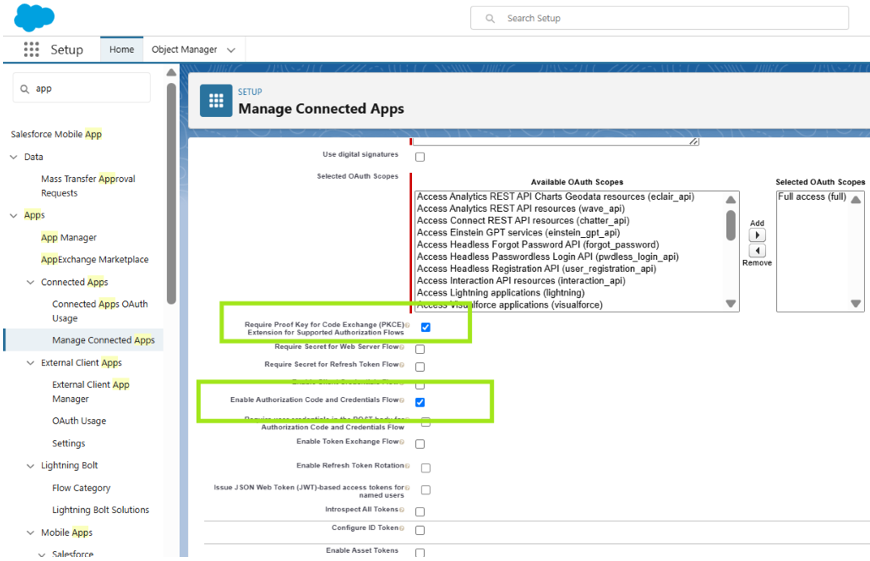
- In the connected app settings, check the box for Enable OAuth Settings.
- Specify the Callback URL (this is the URL where Salesforce will redirect after successful authorization). Ensure it uses HTTPS.
- Select the OAuth Scopes that define the level of access your app will have. Common scopes include api, refresh_token, and full.
Choose the OAuth Flow
Depending on your application type, choose the appropriate OAuth flow. Common flows include:- Authorization Code Flow: For web applications where users log in and authorize access.
- Client Credentials Flow: For server-to-server communication without user interaction.
Save & Manage Consumer Details
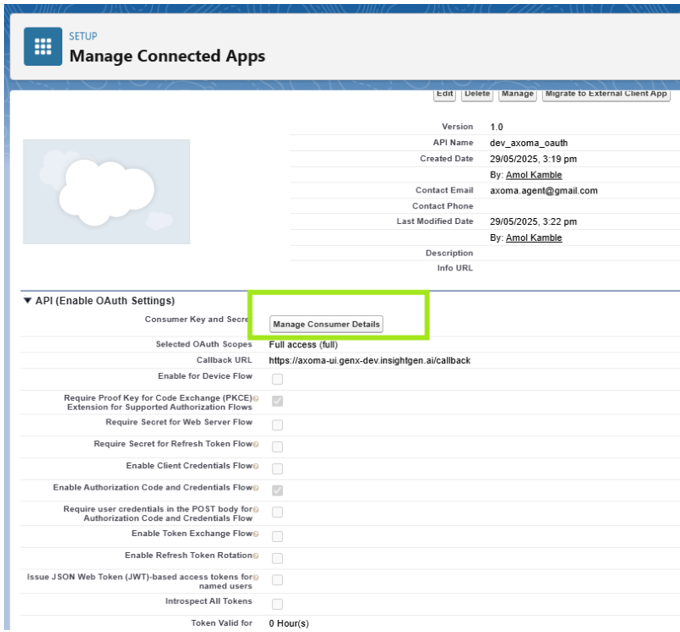 You may need to verify your identity to access these details.